
How to Embed AI Into Existing Workflows Without Adding Friction
September 14, 2026
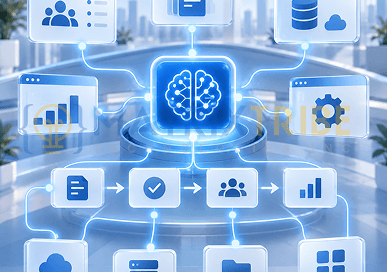
AI often creates more friction when it is added as a separate tool instead of being embedded into the workflow employees already use. That friction shows up in costly ways: copying information between systems, switching interfaces, reviewing AI output outside the system of record, or adding more approval steps. The model may perform well while the workflow becomes harder to manage.
Effective AI implementation starts with how information, decisions, and actions already move through the process. The next question is where AI should enter that workflow and which steps it should simplify. That is what makes AI workflow transformation useful in practice: improving how work gets done in a way that supports usability, reliability, and AI adoption.
Start With the Workflow Before Choosing the AI
AI integration should begin with a clear view of the existing process and where friction is already slowing it down.
Map How Work Moves Today
Start with the systems involved, the handoffs between them, the approvals required, and the points where information is retrieved, re-entered, or passed between people.
At each step, ask what AI would need to access, produce, decide, or trigger. That keeps the implementation grounded in the workflow instead of forcing the workflow around the technology.
Find the Friction Worth Removing
Some steps are technically easy to automate but do not create enough value to justify the change.
Focus on friction that affects throughput or effort, such as repeated data entry, manual search, slow routing, long document review, or unnecessary handoffs. These are stronger candidates for AI workflow transformation because the improvement is tied to an existing operational problem.
Define What Improvement Should Look Like
The expected improvement should be clear before AI is introduced. This might mean fewer handoffs, shorter processing time, less rework, faster access to information, or lower manual effort. Defining that outcome early gives the implementation a clear target.
Choose the Right AI Integration Pattern
The right AI implementation depends on what the workflow actually requires. AI may need to assist inside an existing application, retrieve enterprise knowledge, exchange data with other systems, or coordinate several actions across a process.
Embed AI Inside an Existing Application
When the workflow already runs inside a CRM, ticketing platform, internal portal, or custom application, AI can be embedded directly into that application rather than introduced as a separate system.
Capabilities such as summarization, drafting, classification, extraction, or recommendations can sit directly inside the interface where the information is already being used. This keeps the existing application as the working environment while AI supports specific steps within it.
Connect AI Through APIs
APIs become important when AI needs information or actions from systems such as a CRM, ERP, database, document platform, or internal service.
The AI layer can retrieve the context it needs, return an output to the appropriate system, or trigger the next step while keeping the existing system of record intact. Well-designed application and API architecture also makes it easier to add AI without rebuilding the surrounding workflow.
Use RAG When AI Needs Enterprise Knowledge
Retrieval-augmented generation (RAG) is useful when an AI system needs access to information that a base model does not know, such as internal policies, product documentation, procedures, or knowledge bases.
Instead of relying on model memory, RAG retrieves relevant information from approved data sources when a request is made and supplies that context to the model. AWS describes this approach as a way to improve the relevance and accuracy of responses using proprietary information.
The value here is practical: the AI can work with current enterprise knowledge without requiring that information to be embedded manually into every prompt.
Use Agents When the Workflow Requires Multiple Actions
AI agents become relevant when completing the workflow requires more than generating an answer.
An agent may retrieve information from several systems, evaluate the result of one step, call another tool, and continue the process based on what happens next. This makes AI agents useful for selected multi-step workflows where coordination across systems is part of the work.
The additional autonomy also creates more dependencies, so agentic architecture should match the complexity of the process rather than become the default implementation pattern.
Consider Event-Driven AI for Trigger-Based Processes
Some workflows do not need a user to start every AI interaction. An incoming support ticket, uploaded document, transaction, customer request, or system alert can trigger AI processing automatically.
The output can then feed into the next system or decision point while the wider workflow continues. This is useful when AI needs to respond to events already occurring inside the business process.
Integrate AI Without Adding More Work for the User
A technically sound integration can still create friction if it adds extra steps. AI adoption improves when the capability fits into the systems and processes already used to complete the work.
Keep AI Inside Familiar Systems Where Possible
If the workflow already lives inside a CRM, service platform, internal portal, or business application, AI should support that environment instead of forcing users into a separate tool.
Another login, dashboard, or interface adds friction. Keeping AI close to the existing workflow reduces context switching and unnecessary handoffs.
Reduce Context Switching and Manual Handoffs
Poor integration often shifts work rather than removing it. A customer request might move from the CRM to a separate AI tool, back to the employee for review, and then into the CRM again for approval or recordkeeping.
A better design keeps those steps inside the same workflow, with AI assisting where needed and the system of record remaining intact.
Introduce Workflow Changes Incrementally
A bounded first implementation makes it easier to see how the workflow performs under real use. Start with one team, one process, or one clearly defined task. Expand only after the workflow is stable under real operating conditions.
Design for Exceptions
Real workflows include missing information, unusual requests, integration failures, incomplete outputs, and cases that still require human judgment.
The process needs a clear fallback for those situations, whether that means returning the task to a user, reverting to a standard process, or stopping an automated action when required information is missing. Designing those paths early makes the workflow more resilient and easier to operate.
Build Feedback Into the Workflow
Real usage should show where the implementation still creates friction. Repeated corrections, abandoned AI-assisted steps, workarounds, or a return to the old process are useful signals. They show where the integration, interface, or workflow needs to change before the implementation expands further.
Plan for Production From the Beginning
AI workflows behave differently once they depend on live systems, real users, and production traffic. Reliability, latency, monitoring, cost, and system dependencies need to be considered before the workflow expands beyond controlled use.
Reliability, Latency, and Failure Handling
AI becomes part of the workflow only if the surrounding process can continue when a model or API is slow, unavailable, or returns an unusable result.
Define acceptable response times, retry behavior, fallbacks, and what happens when the AI cannot complete the task. For critical workflows, the user should still have a clear path forward without waiting on the AI.
Data Access and System Dependencies
Production AI depends on the systems around it. Permissions, API availability, data freshness, identity controls, and upstream services can all affect whether the workflow completes successfully. A model may be working as expected while stale data or a failed integration produces the wrong operational result.
These dependencies should be visible and monitored as part of the workflow rather than treated as separate infrastructure concerns.
Evaluation and Monitoring
Monitoring needs to cover both the AI output and the wider application. Track response quality, errors, latency, workflow completion, and cases that require repeated human correction. Google Cloud’s reliability guidance for AI and ML workloads similarly recommends monitoring latency, throughput, errors, resource use, data quality, and model behavior in production.
This gives you evidence of whether the AI remains useful under real operating conditions, rather than relying on how it performed during initial testing.
Understand the Operating Cost
Production cost includes more than model usage. API calls, retrieval, infrastructure, agent tool calls, monitoring, human review, and ongoing support all contribute to the cost of running the workflow.
Usage patterns also matter. A workflow that is inexpensive during a limited pilot may behave very differently once request volumes, document retrieval, or multi-step agent calls increase.
Our guide to scaling AI from pilot to production looks more closely at the operational, cost, and reliability issues that emerge as AI moves into broader enterprise use.
Assign Ongoing Ownership
A production workflow needs clear ownership after launch. Someone should be responsible for integration health, model or provider changes, workflow performance, user feedback, and maintenance. That ownership becomes part of the AI operating model, especially when the workflow depends on several systems or external AI services.
Without it, issues can sit between engineering, operations, and business ownership with no clear path to resolution.
Measure Whether the Workflow Actually Improved
The final test is whether the AI-enabled workflow performs better than the process it replaced or supported. That requires measuring the workflow itself, not just the model.
Measure the Workflow Before and After AI
Compare the process using metrics that reflect how the work actually moves. Useful measures include cycle time, throughput, number of handoffs, completion rate, rework, error rate, and the amount of manual intervention required. These show whether AI is reducing friction or simply shifting it elsewhere.
Measure Adoption in Context
Logins and feature usage alone do not show whether the workflow is working. Look at repeat use, the percentage of eligible tasks completed through the AI-enabled process, abandonment, bypass behavior, and human correction rates. These signals show whether people are actually using the new workflow as intended.
Measure Cost at the Process Level
AI productivity should also be evaluated against the cost of completing the work. Where possible, compare model or API usage, human review, support, rework, and infrastructure against the number of successfully completed tasks. This gives you a more useful view of cost than looking at AI spend in isolation.
The strongest result is a workflow that is faster, easier to operate, and economically better at the level where the work actually happens.
Frequently Asked Questions
How can companies improve AI adoption?
AI adoption improves when the capability fits into the workflow people already use and removes a clear source of friction. Keep AI inside familiar systems where possible, introduce changes in a bounded workflow, and use feedback from real usage to refine the integration before expanding it.
How do businesses implement AI successfully?
Successful AI implementation combines workflow understanding, the right integration pattern, reliable access to data and systems, production monitoring, clear ownership, and measurable outcomes. The implementation should be designed around how the process operates in practice, including exceptions, dependencies, and fallback paths.
How can AI improve workplace productivity?
AI can improve productivity by reducing repetitive work, manual search, duplicate data entry, context switching, and unnecessary handoffs. The strongest gains come when AI is embedded into the existing process and measured through outcomes such as cycle time, throughput, rework, manual intervention, and cost per completed task.
Conclusion
Good AI integration should remove work from the process, reduce unnecessary handoffs, and make useful capabilities available inside the systems people already rely on.
That requires more than connecting a model to an application. The workflow, architecture, production dependencies, user experience, and operating cost all shape whether the implementation actually improves how work gets done.
If you’re looking to embed AI into existing workflows without adding more complexity, MatrixTribe’s Enterprise AI Enablement services can help you design the right integration path and move it into production.
Published

Latest Article

 October 12, 2026
How to Build an AI-Ready Data Pipeline: Quality, Freshness, Ownership, and Governance
Read Article October 5, 2026
Cybersecurity Compliance in Canada: SOC 2 Type II and PIPEDA
Read Article